OttoCookOpen Link
A terminal cooking assistant that talks you through recipes, manages your timers, and won't let you burn dinner

Project Overview
I burned my dinner once. Fully ruined it. I got distracted, missed a timer, and went to bed hungry.
So I built OttoCook — a conversational cooking assistant that lives in the terminal. It walks me through each step, tracks every timer, and keeps talking until I acknowledge alerts. Voice in, voice out, hands never touch the keyboard.
The first dish I cooked with it was Chicken Alfredo. It worked. A bit thick — that one was on me, not Otto. It kept telling me to add pasta water and I didn't listen.
What It Does
- Step-by-step guidance. Visual cues, temperatures, parallel hints, and timing. Tells you what's coming next so you can prep ahead.
- Voice output (TTS). Azure-powered speech so you don't have to stare at your screen with flour on your hands. Audio cached to disk — same sentence never synthesized twice.
- Voice input (STT). Local Whisper model via whisper.cpp, no audio leaves the machine. Say "Hey Chef" and start talking.
- Wake word detection. Three ONNX models running a continuous pipeline — melspectrogram → embedding → wakeword scoring. Always listening, near-zero CPU. No cloud round-trips for detection.
- AI recipe modification. Missing an ingredient? Tell it. It'll adjust, scale, and warn you if the substitution is going to ruin your dish. Three safety tiers: safe (apply), risky (apply + warn), impossible (refuse).
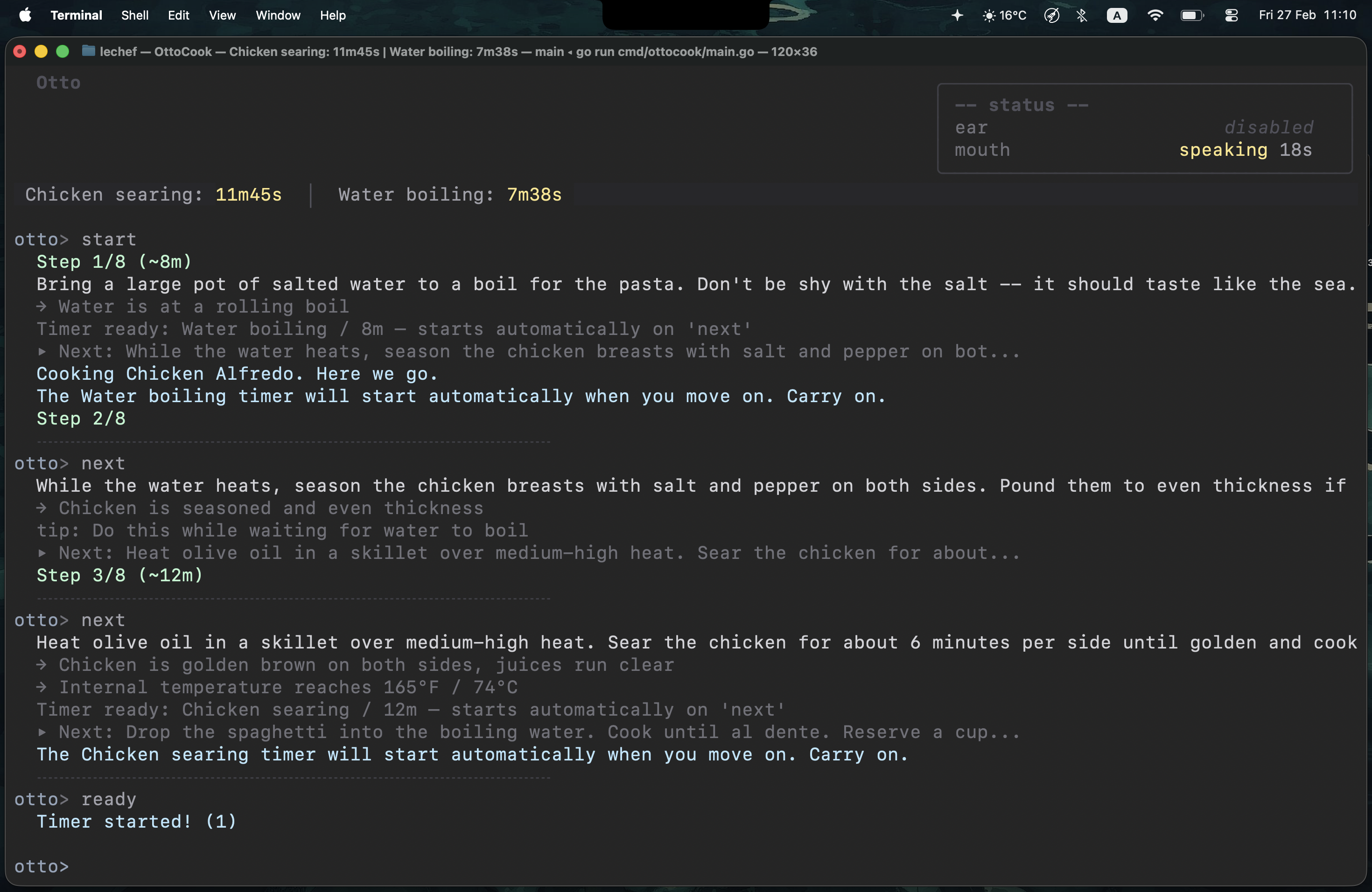
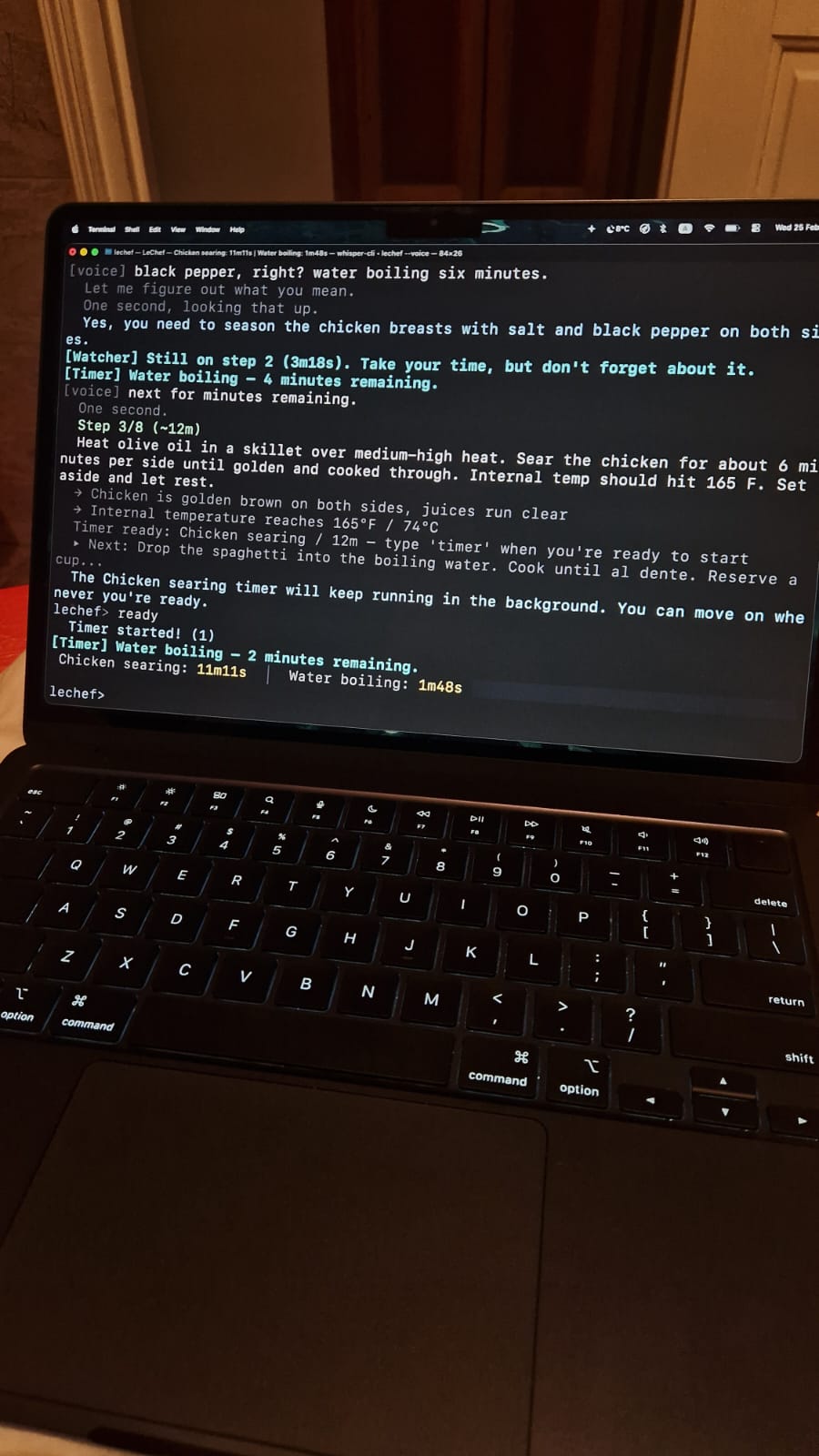
- Smart timers. Background timers with escalating notifications. They stay on hold until you say you're ready. When they fire, they nag with increasing urgency until you acknowledge them. They will not leave you alone.
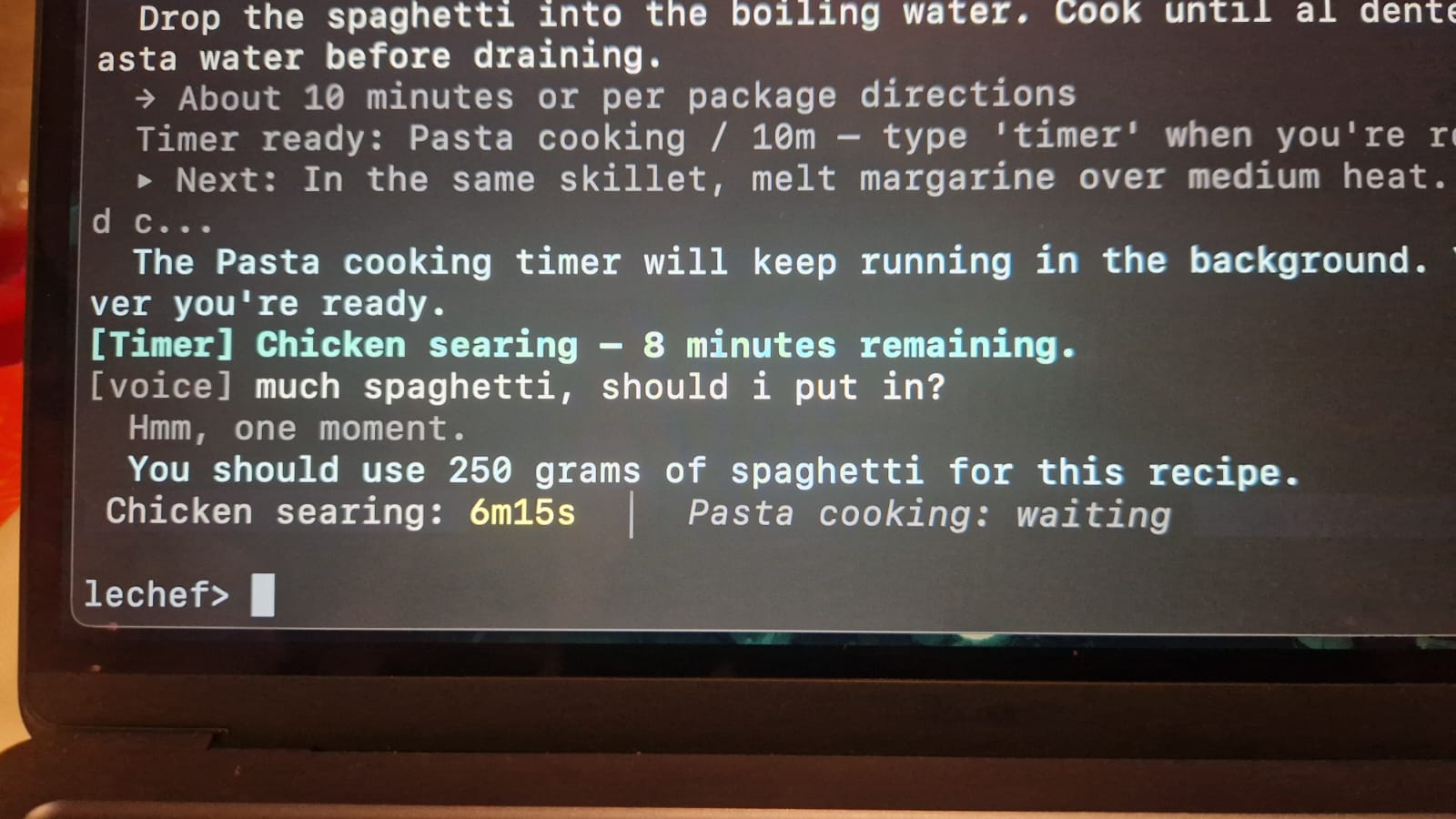
- Ask questions mid-cook. The AI has full context — recipe, current step, timer states, conversation history. Straight answers, no blog posts.
- Natural language input. Type however you want. A keyword parser handles the fast stuff, GPT picks up everything else as a fallback.
- Session management. Pause, resume, skip, check progress. Timers pause with you.
Key Technical Features
Wake Word Detection — ONNX Pipeline
The voice system starts with a custom wake word detector built on three openWakeWord ONNX models running locally via ONNX Runtime:
- Raw audio captured in 80ms chunks (1280 samples at 16kHz) via malgo
- Each chunk feeds through a melspectrogram model → 5 mel frames × 32 bins
- Mel frames accumulate in a sliding window. Every 8 frames, 76 mel frames feed into an embedding model → 96-dimensional vector
- The last 16 embedding vectors feed into the wakeword model → single score between 0 and 1
When the score crosses the threshold, the ear interrupts any active TTS, says a random filler ("Yes chef?", "Listening."), and opens a Whisper transcriber with RMS-based silence detection.
One trick that made detection reliable: only the last 5 of 16 embedding slots actually reach the wakeword model. The rest are zeroed out. This prevents silence embeddings from accumulating and suppressing detection — the model always sees a clean background regardless of how long the user has been quiet.
Speech Pipeline — Ear and Mouth
Two halves that share a mic and a speaker and can never talk over each other.
The Ear runs in three states: dormant (ONNX detector only, zero Whisper CPU), listening (Whisper + RMS silence monitor), and muted (paused while the Mouth speaks). Transcription cleanup strips Whisper artifacts, hallucinations, environmental annotations, wake word bleed, and TTS echo — five layers of filtering before anything hits the intent pipeline.
The Mouth runs a priority queue (Critical > High > Normal > Low). Text gets chunked at sentence boundaries (~200 chars), all chunks synthesized in parallel via Azure TTS (hiding the 200-400ms per-chunk latency), then played back sequentially with interrupt checks between each chunk. Two-tier cache — in-memory + on-disk with SHA256 keys. Common phrases prefetched at session start for zero-latency playback.
Echo prevention ties them together: the Mouth fires speaking-state callbacks, the Ear mutes and flushes all detector pipeline state on transitions, the RMS monitor skips mouth-active frames, and post-transcription filtering strips any text matching what the Mouth recently said. Four layers, all necessary.
AI Agent — Tool-Calling Loop
A custom agent loop where GPT can reason about the recipe and take structured actions. The AI receives full context: recipe, ingredients, step progress, timer states, and conversation history. It returns JSON with typed actions — update_ingredient, add_step, update_timer, remove_ingredient, etc. — that get validated and applied to the recipe in-place. The user sees a color-coded diff of what changed (green for additions, red with strikethrough for removals, amber for modifications).
The intent pipeline is two layers: a regex-based keyword parser handles ~90% of inputs in microseconds ("next", "pause", "timer"). When it returns IntentUnknown, GPT kicks in as a fallback classifier with full session context. Fast path stays fast. Expensive path only fires when needed.
Terminal UI — Bubble Tea
Full TUI built on Bubble Tea with:
- Timer status bar pinned to the top — running countdowns, pending timers, fired alerts, all color-coded and updating every second
- Inspector box showing real-time ear/mouth state with elapsed timers (listening duration, speech duration, timeout countdowns)
- Typewriter effect for assistant responses — text reveals character by character with word-wrapped lines
- Activity spinner with an animated crossing-bar — two glowing spots traveling in opposite directions while the AI thinks
- Diff rendering when recipes get modified — additions, removals, and changes rendered inline with appropriate colors and strikethrough
- Voice echo — spoken commands appear in the scrollback as
otto> [heard] ...so you can see what it understood - Space-to-interrupt — hit space on an empty prompt to cut the Mouth off mid-sentence
The whole display runs on a message-buffer architecture. All output from any goroutine goes through program.Send(), never direct prints, so concurrent writes from timers, speech, and the engine never garble the screen.
Architecture — Ports and Adapters
Five interfaces in the domain layer, zero dependencies:
RecipeSource— where recipes come fromSessionStore— where session state livesIntentParser— how user input becomes structured intentsNotifier— how messages reach the userSpeechProvider— how voice works
The engine only knows contracts. Everything else — Azure TTS, local Whisper, in-memory storage, GPT classification — is wired in at startup through main.go. Swap any component without touching business logic. The no-speech, no-AI, and voice flags just change which implementations get plugged in.
~4000 lines of Go. Everything behind interfaces. Runs on macOS, should work on Linux, Windows needs CGO setup for voice.